Imagine this: You’re excited to dip your toes into the world of smart home automation. You grab a few smart plugs, envisioning perfectly timed lights, a coffee maker ready as you wake, or perhaps even a remote switch for that noisy shop vac. You plug them in, expecting instant magic, only to find some devices refuse to cooperate, or the plug itself blocks the adjacent outlet. Perhaps you even hit a snag trying to connect it to your smart home assistant, or worse, you’re left wondering if your network is now vulnerable. This common scenario highlights why a little knowledge goes a long way before investing in these seemingly simple devices.
As the accompanying video deftly illustrates, purchasing smart plugs isn’t as straightforward as picking the cheapest option off the shelf. There’s a subtle complexity underneath their simple exterior, and understanding these nuances can save you both time and money. Let’s dive deeper into the essential considerations, from ensuring device compatibility to navigating the intricacies of smart home ecosystems and securing your connected devices.
Beyond the Box: Essential Smart Plug Compatibility Checks
Before you even consider brand or price, a fundamental question looms: Will your existing devices truly work with a smart plug? Not all appliances are created equal in the smart home realm. The key differentiator lies in how your device handles power interruption and restoration.
Mechanical vs. Electronically Switched Devices
Most traditional lamps and appliances feature mechanical switches. When you toggle a mechanical switch, it physically breaks and remakes the electrical circuit. If power is cut and then restored to such a device while its switch is in the “on” position, it will typically return to the “on” state. These are your ideal candidates for smart plugs.
Conversely, many modern devices, especially those with touch controls, digital displays, or internal microprocessors, employ electronic switches. When power is cut to an electronically switched device, it often defaults to an “off” state or requires a manual power-on sequence upon restoration. Think of a smart speaker that needs to boot up, or a lamp with a capacitive touch sensor that doesn’t “remember” its last state. These devices will not work effectively with smart plugs, as the plug can only cut and restore power; it cannot “press” a digital button for you. To check your device, simply turn it on, unplug it for a few seconds, then plug it back in. If it comes back on automatically, it’s a good fit for a smart plug.
Power Ratings: Protecting Your Devices and Your Home
One of the most critical, yet frequently overlooked, aspects of smart plugs is their power rating. Just as you wouldn’t plug a heavy-duty appliance into a flimsy extension cord, you shouldn’t connect high-amperage devices to an underspecified smart plug. Doing so can lead to device failure, tripped breakers, or, in severe cases, a fire hazard.
Understanding Amperage and Wattage
In the United States, standard household voltage is typically 100-120V at 60Hz. Most circuits are rated for 15 amps, with larger appliance circuits (like those for ovens or dryers) often at 20 amps or more. Smart plugs, however, come with their own specific amperage limits.
- Common Ratings: Many popular smart plugs, such as the TP-Link Kasa Mini (demonstrated in the video), boast a 15A rating. This generally means they can handle anything you’d plug into a standard household outlet without issue, offering peace of mind for everyday items.
- Lower Ratings: Beware of smart plugs rated lower, such as the Govee plug mentioned in the video, which is rated for only 10 amps. Plugging a device drawing 11-12 amps into such a plug could cause it to overheat or fail catastrophically. Common culprits for high current draw include space heaters, hair dryers, and robust shop vacuums. Always check the wattage or amperage of your target device before connecting it.
- Resistive vs. Tungsten Loads: Some plugs, like the BN Link discussed, differentiate between “resistive” and “tungsten” loads. Resistive loads (like a heater or toaster) draw a constant current. Tungsten loads, typically found in incandescent light bulbs, have a high initial current draw (inrush current) when first turned on, before settling to a steady state. A plug rated lower for tungsten might be necessary if you’re controlling older, high-wattage incandescent bulbs. However, for most modern LED lighting and small appliances, the resistive rating is more relevant. Ignoring these distinctions can lead to prematurely burnt-out plugs.
Always locate the amperage rating—usually on the bottom or back of the smart plug—and ensure it comfortably exceeds the requirements of the device you intend to control. When in doubt, err on the side of a higher-rated plug for safety.
The Often-Overlooked Detail: Smart Plug Form Factor
You’ve found a smart plug that meets your device’s compatibility and power needs. Now for a seemingly minor detail that can cause major frustration: its physical design. Smart plugs come in a variety of shapes and sizes, which can significantly impact their usability, especially in multi-outlet receptacles or power strips.
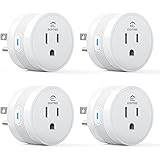
Many smart plugs are either round or rectangular “brick” shapes. While compact, some designs are wide enough to completely block the adjacent outlet in a standard wall receptacle. This forces you to choose between using the smart plug and another device, negating the convenience you sought. For instance, the video highlights how some round Govee plugs and Zoiinet plugs can completely obstruct the second outlet, especially for grounded (three-prong) plugs.
On the other hand, well-designed plugs like the TP-Link Kasa Mini Plug are engineered to be slim, allowing two to fit comfortably side-by-side in a single duplex outlet. Rectangular plugs, particularly those with an offset design like the BN Link, also often provide better clearance, ensuring you can still use the other outlet for larger, grounded plugs. Some innovative solutions, such as the Govee Dual Plug, even convert one wall outlet into two smart plugs, maximizing space efficiency.
Before purchasing, consider where you’ll be plugging in your smart device. If you need to use both outlets in a receptacle, prioritize slim, compact, or offset designs. Visualizing how the plug will sit in your actual outlets can prevent an annoying, space-wasting misstep.
Levels of Control: From Simple Remotes to Full Home Automation
The term “smart plug” encompasses a spectrum of control options. Your ideal choice depends entirely on the level of interaction and automation you desire for your devices.
Basic Remote Control Plugs
For the simplest form of remote control, devices like the Dewenwils or Zoiinet plugs offer a straightforward solution. These typically do not connect to Wi-Fi; instead, they operate via a dedicated radio frequency (RF) remote. They are essentially mechanical remote switches. They are plug-and-play, incredibly easy to set up, and excellent for scenarios where you just need to turn a device on or off from a short distance without fuss—think a shop vac in a garage or a lamp across the room. The Zoiinet even offers a wall-mountable remote, providing a pseudo-switched outlet where none existed, offering a simple and cost-effective alternative to electrical wiring.
Analog and Digital Timer Switches
If your primary goal is scheduling rather than interactive control, traditional timer switches remain a viable, “analog” smart plug option. Mechanical timers, often called the “original smart plug,” feature physical pins or dials that you set for specific on/off times, repeating daily. They’re robust, reliable, and require no network connection. For example, setting a lamp to turn on at 7:00 PM and off at 10:00 PM is effortless with these.
Digital timers offer a bit more precision, often allowing for minute-by-minute scheduling. However, as the video notes, some models might lack grounding (a critical safety feature) or offer fewer scheduling slots than their mechanical counterparts. They still operate independently of your home network, focusing solely on time-based automation.
Wi-Fi Enabled Smart Plugs with App & Voice Control
This is where “smart plugs” truly live up to their name. These devices connect to your home Wi-Fi network and are controlled via a smartphone app, and crucially, can integrate with popular voice assistants like Amazon Alexa, Google Home, and to a lesser extent, Apple HomeKit. This opens up a world of possibilities:
- Remote On/Off: Control devices from anywhere in the world using your phone.
- Scheduling: Create precise schedules for lights, fans, or even seasonal decorations.
- Countdown Timers: Set a device to turn off after a specific duration.
- Advanced Automations: Link actions to other smart home triggers (e.g., turn on a light when a motion sensor detects movement, or based on sunrise/sunset).
- Voice Control: Use simple commands like “Alexa, turn on the living room lamp” for hands-free convenience.
While manufacturer-specific apps (Kasa, Govee, BN Link) offer some automation features, the true power of these smart plugs is unleashed when integrated into a central home assistant platform. These platforms allow you to create complex routines, combine devices from different brands, and leverage a wider array of triggers. For instance, setting up “Party Time” routines that simultaneously control smart plugs, smart lights, and even your smart speaker for music, all with a single voice command, becomes possible.
Setup Simplicity: Getting Your Smart Plugs Online
The initial setup process for smart plugs can range from instant plug-and-play to a slightly more involved network configuration. Understanding this can temper expectations and help you choose a device that matches your technical comfort level.
Plug-and-Play Simplicity
For remote-controlled and timer plugs, setup is virtually instantaneous. You plug them in, perhaps set a few dials on a timer, and they’re ready. There’s no app, no Wi-Fi, and no pairing headaches.
Network-Connected Plug Setup
Wi-Fi smart plugs, by their nature, require a network connection. This typically involves downloading the manufacturer’s app, creating an account, and following on-screen instructions to pair the device. The process usually requires your phone to be on the same 2.4GHz Wi-Fi network as the plug during setup, which can be a minor inconvenience for those primarily using 5GHz networks for faster speeds.
- Amazon Basics: The video highlights Amazon Basics plugs as exceptionally easy to set up for Amazon Alexa users. Their integration with the Alexa app, often involving a simple QR code scan on the plug itself, streamlines the process by largely automating background network configuration. However, a significant drawback is their exclusivity; they are generally not compatible with Google Home.
- Kasa & Govee: These brands often require users to connect to their dedicated 2.4GHz Wi-Fi network for the initial pairing, then switch back to their preferred network (e.g., 5GHz) once setup is complete. While not overly complex, it adds a few extra steps compared to the seamless Amazon experience.
- BN Link: Interestingly, the video points out that BN Link plugs allowed setup even when the phone remained on a 5GHz network, a small but welcome convenience.
While setup for network-connected plugs is rarely “difficult,” the ease varies. If you’re new to smart home tech, opting for brands known for their intuitive setup processes, especially those tied into your primary smart assistant, can reduce initial friction. A quick search for setup videos for a specific brand can give you a preview of the steps involved.
The Smart Home Ecosystem: Home Assistant Compatibility and Matter
The true power of smart plugs comes from their integration into a larger smart home ecosystem. However, this is also where compatibility issues can arise, particularly if you mix and match brands or assistants.
Choosing Your Home Assistant
The dominant players in the home assistant market are Amazon Alexa, Google Home, and Apple HomeKit. Most smart plugs will clearly state their compatibility on the packaging or product page, typically supporting Amazon and Google. Apple HomeKit, however, has stricter certification requirements, meaning fewer devices support it natively, and those that do can be more expensive.
It’s crucial to select smart plugs that integrate with your chosen home assistant. While some devices can be “ported” between systems using third-party hubs or complex integrations, a native connection always offers the smoothest experience. Be aware of vendor lock-in: for example, Amazon Basics plugs integrate seamlessly with Alexa but won’t work with Google Home. Planning your smart home around one or two primary assistants simplifies management and maximizes device interoperability.
Hubs vs. Hubless Systems
Many Wi-Fi-enabled smart plugs are “hubless,” meaning they connect directly to your home Wi-Fi network without an additional central device. This simplifies setup and reduces initial costs. However, some smart home technologies, especially those like Zigbee or Z-Wave (often used in Apple HomeKit ecosystems or for specific devices like Philips Hue lights), *do* require a central hub to communicate. These hubs translate signals between devices and your home network, offering enhanced reliability and often local control (meaning devices still work even if your internet goes down).
The Promise of Matter Protocol
Introduced in 2019, Matter is an exciting, industry-wide standard designed to bring unprecedented interoperability to smart home devices. Backed by tech giants like Amazon, Google, and Apple, Matter aims to create a unified language for smart home devices, allowing them to communicate seamlessly across different platforms. The video likens it to the “Dalai Lama” of smart home, bringing peace and universal understanding.
Matter is an IP-based protocol that offers improved security and ensures devices from various manufacturers can work together effortlessly. While its rollout has been gradual, requiring both hardware and software updates, more Matter-compatible devices are emerging. Investing in Matter-enabled smart plugs “future-proofs” your smart home, ensuring they’ll remain compatible with evolving ecosystems and potentially simplifying future expansions.
Smart Plug Security: Protecting Your Home Network
Security is a paramount concern for any internet-connected device, and smart plugs are no exception. While the thought of someone remotely controlling your coffee pot might seem trivial, the implications of compromised smart devices can be far more serious.
The Real Threat: DDoS Attacks and Network Vulnerability
The speaker in the video rightly points out that the biggest security risk isn’t necessarily direct control over a light switch. Instead, it’s the potential for compromised devices to be recruited into botnets used for Distributed Denial of Service (DDoS) attacks. In a DDoS attack, thousands, tens of thousands, or even hundreds of thousands of hijacked devices (like your smart plug) simultaneously bombard a target website or server with traffic, overwhelming it and causing it to crash. Your smart plug could unknowingly become a foot soldier in a global cyberattack.
Furthermore, poorly secured smart devices can act as a gateway into your entire home network, potentially exposing sensitive data from your computers, smartphones, or other connected systems.
Best Practices for Smart Plug Security
Fortunately, several best practices can significantly mitigate these risks:
- Buy from Reputable Brands: Stick to established companies like TP-Link (Kasa), Govee, Amazon Basics, or BN Link. These brands generally have more resources dedicated to security research, software updates, and customer support. Avoid no-name brands with suspiciously low prices and minimal reviews.
- Change Default Passwords: If your smart plug or its associated app requires a login and comes with a default password (e.g., “admin,” “12345”), change it immediately to a strong, unique password. Default credentials are prime targets for hackers.
- Isolate Smart Devices on a Separate Network (VLAN): For enhanced security, consider creating a separate Wi-Fi network (often called a VLAN or Guest Network) specifically for your smart home devices. This isolates them from your primary network, where your computers, financial data, and other critical systems reside. If a smart plug on your IoT (Internet of Things) network is compromised, the attacker will have much more difficulty accessing your main devices. This is why the speaker mentioned having to switch between 2.4GHz and 5GHz networks for setup—it’s often a consequence of maintaining separate networks for security.
- Keep Firmware Updated: Regularly check for and install firmware updates for your smart plugs and smart home hubs. Manufacturers often release updates to patch security vulnerabilities and improve performance.
- Review Privacy Policies: While often overlooked, quickly review the privacy policy and terms of service for any smart device app. Understand what data they collect and how they use it.
Energy Monitoring: Tracking Your Consumption
For the environmentally conscious or those simply looking to save on utility bills, some smart plugs offer energy monitoring capabilities. This feature allows you to track the real-time and historical power consumption of the devices plugged into them.
Most basic smart plugs do not include this feature. To get energy monitoring, you must specifically look for smart plugs that advertise it. The video highlights the BN Link plugs as a long-time favorite for this feature, even noting historical data from 2021 and 2022. For example, a small LED lamp might draw about 78 milliamps (0.07 amps), which, at an average of 11 cents per kilowatt-hour, allows you to calculate its exact operating cost.
While tracking a single lamp might not yield massive savings, imagine monitoring a refrigerator, a washing machine, or even entertainment systems. Energy monitoring can help identify “vampire draw” (devices consuming power even when off) and inform decisions about appliance usage, potentially leading to noticeable reductions in your electricity bill.
The Power of Automation: Beyond Simple On/Off
Automation is arguably the top reason people invest in smart plugs. It’s about making your home work for you, freeing you from repetitive tasks and enhancing convenience. Modern smart plugs, particularly when integrated with a home assistant, offer extensive automation possibilities.
Manufacturer App vs. Home Assistant Automation
Most manufacturer apps (Govee, Kasa, BN Link) provide basic scheduling and countdown timers. Some even allow for simple “if this, then that” (IFTTT) rules within their ecosystem. However, these are often limited compared to the robust capabilities of dedicated home assistant platforms like Google Home or Amazon Alexa.
By connecting your smart plugs to your preferred home assistant, you unlock a much broader array of triggers and actions. You can:
- Time-Based Schedules: Set lights to turn on at sunset and off at bedtime.
- Location-Based Triggers: Have your porch lights come on when you arrive home.
- Sensor Integration: Turn on a fan when a smart thermostat detects a certain temperature.
- Voice Commands: Activate complex “scenes” or routines with a single phrase (e.g., “Alexa, party time!”).
- Cross-Brand Compatibility: Control smart plugs from various brands alongside smart lights, security cameras, and other smart devices all within a single interface.
The speaker strongly advises ditching the manufacturer’s apps for advanced automations and opting for your home assistant. These platforms offer significantly more flexibility and integration options, leveraging IFTTT and other smart home devices to create truly intelligent routines that adapt to your lifestyle.
Cost Considerations: Finding Value in the Smart Plug Market
Smart plugs span a wide price range, from budget-friendly remote controls to premium, feature-rich Wi-Fi models. Your budget and desired feature set will dictate the best value.
Remote Control Plugs
These are typically the most affordable entry point. The Dewenwils remote control plug, highlighted in the video, costs around $12. Its 15-amp rating makes it a robust choice for devices like shop vacs, offering excellent value for simple remote on/off functionality. For parents, a discreet remote switch on a router or game console offers a quick, old-school method to encourage screen-time limits.
Wi-Fi Smart Plugs
The price for Wi-Fi smart plugs generally ranges from $6 to $13 per plug, with multi-packs often offering a lower per-plug cost. However, price isn’t the only indicator of value:
- Govee: While a four-pack might offer individual plugs for as low as $5.75, the video warns against their 10-amp rating and outlet-blocking design. Conversely, the Govee Dual Smart Plug, at $10 (effectively $5 per outlet), provides two outlets in one, although it lacks Matter compatibility and energy monitoring.
- Kasa: The Kasa Mini starts around $7, while a Matter-enabled version with energy monitoring might cost up to $12. If future-proofing and advanced features are priorities, investing in the higher-end Kasa model could be worthwhile.
- BN Link: These are a “diamond in the rough” according to the speaker. A four-pack can be found for about $20 ($5 per outlet), offering energy monitoring and reliable performance over several years. While not Matter-enabled, their low cost and functionality make them attractive, especially as newer versions address previous form factor issues.
- Amazon Basics: Priced around $12-$13 per plug (multi-packs often unavailable), these offer unparalleled ease of setup for dedicated Amazon Alexa users. Their seamless integration makes them a strong contender if Alexa is your primary home assistant, despite their lack of Google Home compatibility and energy monitoring.
When evaluating cost, consider the total value proposition: features like energy monitoring, Matter compatibility, amperage rating, and form factor all contribute to a smart plug’s true worth. Sometimes, spending a little more upfront for the right features can prevent headaches and ensure long-term satisfaction.
Unplugging Your Concerns About Smart Plugs to Avoid
What is a smart plug?
A smart plug is a device that goes between your wall outlet and an appliance, allowing you to turn the appliance on or off remotely using a smartphone app, voice commands, or set schedules.
What kind of devices work best with a smart plug?
Smart plugs work best with devices that have a mechanical on/off switch and will automatically turn back on when power is restored. You can test this by plugging in a device, turning it on, then unplugging it and plugging it back in; if it comes back on, it’s a good fit.
Do I need to check anything before plugging an appliance into a smart plug?
Yes, always check the smart plug’s power rating (amperage) and make sure it can handle the power requirements of the device you want to connect. Using a device that draws too much power can damage the plug or create a fire hazard.
How do I set up a Wi-Fi smart plug?
Typically, you download the smart plug’s manufacturer app, create an account, and follow the in-app instructions to connect the plug to your home’s 2.4GHz Wi-Fi network. Some brands also offer streamlined setup directly through smart assistant apps like Amazon Alexa.
Can smart plugs help me save on electricity?
Yes, some smart plugs include an energy monitoring feature that tracks the power consumption of connected devices. This can help you identify devices that use a lot of electricity or have ‘vampire draw,’ potentially helping you reduce your energy bill.