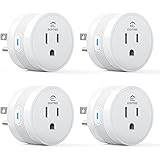
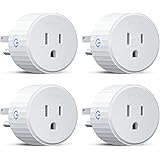
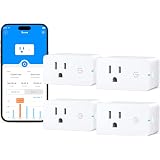
Navigating the burgeoning landscape of smart home technology can often feel like a labyrinth, with users frequently encountering compatibility issues, intricate setup procedures, and a steep learning curve. The promise of seamless automation often collides with the reality of frustrating device integration, particularly when dealing with disparate third-party solutions. However, for those seeking a streamlined entry point into smart home control or an expansion of their existing Alexa ecosystem, a proprietary solution often presents itself as the most direct route. As demonstrated in the accompanying video, the Amazon Alexa Smart Plug is engineered to circumvent many of these common hurdles, offering a remarkably straightforward path to intelligent device management.
Seamless Integration: The Amazon Smart Plug’s Core Advantage
Unlike many generic smart plugs that often necessitate an additional hub or convoluted pairing processes, the Amazon Smart Plug stands out due to its native integration within the Alexa ecosystem. This isn’t merely a convenience; it’s a foundational design philosophy that significantly enhances user experience and system reliability.
-
Proprietary Auto-Discovery Protocol
The core of the Amazon Smart Plug’s “super easy” setup lies in its proprietary auto-discovery mechanism. When powered on within proximity of an Alexa-enabled device connected to the same Wi-Fi network, the plug is often automatically detected. This eliminates the manual searching, device resets, and multiple app switches frequently associated with generic Wi-Fi plugs or those utilizing protocols like Zigbee or Z-Wave, which typically demand a dedicated bridge or controller. The Alexa app acts as the central orchestrator, pre-configured to recognize and provision Amazon-branded hardware without extensive user intervention.
-
Simplified Wi-Fi Provisioning
A common pain point for smart home enthusiasts is the intricate Wi-Fi provisioning process. Many devices require connecting to a temporary Wi-Fi hotspot emitted by the device itself, then switching back to the home network. The Amazon Smart Plug often bypasses this, leveraging the existing network credentials stored within the Alexa app. This direct approach not only saves time but also reduces the potential for user error, ensuring a more consistent initial connection. While a 2D code scan might be requested for specific security or identification purposes, the general philosophy is to minimize manual input.
Comprehensive Control Modalities: Beyond Basic On/Off
Once provisioned, the Amazon Smart Plug offers a versatile array of control methods, catering to different user preferences and scenarios. This multi-modal approach ensures accessibility and redundancy, critical factors in a robust smart home setup.
-
Intuitive Voice Control via Alexa
The primary control interface, as highlighted in the video, is voice. Commands like “Alexa, turn on the Dresser Lamp” are processed with minimal latency, transforming verbal requests into immediate actions. This hands-free operation is particularly valuable for convenience, accessibility, and creating an immersive smart home experience. Renaming devices, such as from “First Plug” to “Dresser Lamp,” is a crucial step to ensure natural and memorable voice commands, enhancing the overall user interaction.
-
Granular App Control
The Alexa app provides a centralized dashboard for managing all connected devices. Users can remotely toggle the smart plug, monitor its status, and access more advanced settings. This graphical interface is indispensable for managing devices when voice commands are impractical or for configuring complex routines that require precise adjustments. The ability to group devices, as shown with adding the plug to a “bedroom group,” further streamlines app-based control, allowing for simultaneous management of multiple devices with a single tap.
-
Physical Override for Redundancy
Each Amazon Smart Plug includes a discrete physical button, offering a manual override. This seemingly simple feature is vital for practical use, providing an immediate way to control the connected appliance in situations where voice commands are not feasible (e.g., Alexa device is off, internet outage) or preferred. It ensures basic functionality even when the smart home ecosystem experiences temporary disruptions, serving as a critical backup.
Mastering Automation: Advanced Alexa Routines
While the video demonstrates a basic time-based routine, the true power of the Amazon Smart Plug unfolds through Alexa Routines, which allow for sophisticated automation sequences. This capability transcends simple on/off commands, enabling the creation of dynamic, responsive smart home environments.
-
Diverse Trigger Mechanisms
Alexa Routines can be initiated by a wide array of triggers, offering significant flexibility:
- Time-Based Schedules: As shown, lights can activate or deactivate at specific times, ideal for simulating occupancy or managing energy consumption. This includes dynamic schedules tied to sunrise or sunset, automatically adjusting throughout the year.
- Voice Commands: Custom phrases can trigger specific sequences, allowing users to consolidate multiple actions under a single, memorable prompt (e.g., “Alexa, good morning” could turn on the lamp, start the coffee maker, and provide a news briefing).
- Device State Changes: Actions can be triggered by other smart devices. For instance, a motion sensor detecting activity could turn on a lamp connected to an Amazon Alexa Smart Plug.
- Location-Based (Geofencing): When a user’s smartphone enters or exits a specified geographic area, routines can activate. Arriving home could trigger lights to turn on and the thermostat to adjust.
- Sound Detection: Some Alexa devices can detect specific sounds (e.g., glass breaking, dog barking), which can then trigger a routine, potentially enhancing security by turning on lights or sending notifications.
-
Multi-Action Sequences and Conditional Logic
Routines are not limited to a single action. A single trigger can initiate a sequence of events across various smart devices. For example, a “Good Night” routine could turn off all lights (including those on Amazon Smart Plugs), lock smart doors, and set an alarm. While direct conditional logic (IF X AND Y THEN Z) is somewhat limited in basic Alexa routines, creative users can chain routines or use third-party integrations (like IFTTT) to achieve more complex scenarios.
-
Enhancing Energy Management and Security
Beyond convenience, advanced routines contribute to practical benefits. Scheduling a fan or space heater to turn off when you leave or turn on before you arrive can optimize energy consumption. Similarly, “vacation mode” routines can randomize light activity throughout the day, using Amazon Alexa Smart Plugs to create the illusion of occupancy, deterring potential intruders.
Optimizing Your Smart Home Ecosystem with Amazon Smart Plugs
The utility of the Amazon Alexa Smart Plug extends beyond merely automating a single lamp. Strategic deployment and integration can significantly enhance the overall functionality and responsiveness of your smart home environment.
-
Strategic Placement and Device Grouping
Consider the placement of your smart plugs to maximize their impact. High-traffic areas, spaces with multiple non-smart lamps, or appliances used regularly can benefit most. Grouping these plugs logically within the Alexa app (e.g., “Living Room Lights,” “Home Office Devices”) allows for unified control, simplifying commands and routine creation. This architectural approach to smart device management is crucial for scalability.
-
Integration with Other Smart Home Devices
The true power of the Alexa ecosystem lies in the synergy between its components. An Amazon Smart Plug can be integrated with motion sensors, door/window sensors, or even smart thermostats to create sophisticated automations. For instance, linking a smart plug to a smart doorbell could activate an entry light when a visitor approaches after sunset. This cross-device interoperability is where basic automation evolves into intelligent, reactive environments.
-
Power Monitoring Capabilities (Where Applicable)
While not explicitly mentioned for the standard Amazon Smart Plug in the video, some advanced smart plugs offer power monitoring features. For users concerned with energy consumption, integrating such plugs allows for tracking appliance usage and identifying energy vampires. This data can inform more efficient routine creation and lead to tangible savings, aligning with broader smart home goals of efficiency and sustainability. When choosing an Amazon Alexa Smart Plug, consider if a version with energy monitoring is available and beneficial for your specific needs.
Troubleshooting and Best Practices for Seamless Operation
Even with “super easy” devices, occasional issues can arise. Adhering to best practices can prevent common pitfalls and ensure your Amazon Alexa Smart Plug operates reliably within your smart home ecosystem.
-
Ensuring Robust Wi-Fi Connectivity
The Amazon Smart Plug relies on a stable 2.4 GHz Wi-Fi connection. Ensure your router is broadcasting a strong signal in the area where the plug is installed. Obstructions, distance from the router, and network congestion can degrade performance. Consider a Wi-Fi extender or mesh network if coverage is spotty in certain parts of your home, optimizing the foundation of your IoT infrastructure.
-
Regular Firmware Updates
Like all smart devices, smart plugs receive firmware updates that improve performance, add features, and patch security vulnerabilities. The Alexa app typically manages these updates automatically, but it’s good practice to periodically check for and ensure updates are applied. This proactive maintenance is critical for maintaining device security and functionality.
-
Network Security Considerations
As an IoT device, the Amazon Alexa Smart Plug is an endpoint on your home network. Ensure your Wi-Fi network uses strong encryption (WPA2/WPA3), a complex password, and consider isolating IoT devices on a separate VLAN or guest network if your router supports it. These layers of security are crucial for protecting your smart home from potential external threats.
-
Minimizing Interference
Other wireless devices, especially those operating on the 2.4 GHz band, can cause interference. Placing your smart plugs away from microwaves, cordless phones, or other high-bandwidth wireless devices can help maintain stable connectivity. This environmental consideration is often overlooked but can significantly impact reliability.
The evolution of smart home technology continues to prioritize ease of use without sacrificing advanced capabilities. The Amazon Alexa Smart Plug exemplifies this trend, providing a robust, user-friendly foundation for home automation. By understanding its core advantages, exploring comprehensive control methods, and mastering its powerful routine capabilities, users can transform their living spaces into intelligently managed, responsive environments. This device’s seamless integration within the Amazon ecosystem makes it an indispensable tool for expanding and optimizing any smart home, ensuring reliable operation and enhanced daily convenience.
Plugging In for Answers: Your Alexa Smart Plug Q&A
What is an Amazon Alexa Smart Plug?
An Amazon Alexa Smart Plug is a device you plug into a wall outlet to make regular appliances, like lamps or fans, controllable using your voice through Alexa or the Alexa app.
Is the Amazon Smart Plug difficult to set up?
No, it’s designed for super easy setup. It often automatically connects to your Alexa system when powered on and uses your existing Wi-Fi information from the Alexa app.
How can I control devices connected to an Amazon Smart Plug?
You can control devices plugged into it using voice commands with Alexa, through the Alexa app on your smartphone, or by pressing the physical button directly on the plug.
Can I set a schedule for my smart plug to turn things on and off automatically?
Yes, you can use Alexa Routines to create schedules, like turning lights on or off at specific times, or even link actions to voice commands or other smart devices.