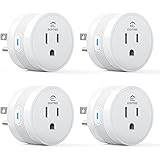
The quest for optimized energy usage within our homes has become increasingly paramount, with real-world data highlighting its significance. For instance, the simple act of boiling a kettle can amount to an average of 0.6 kilowatt-hours (kWh) per day, a cost that, based on early 2022 UK electricity prices, was approximately £40 annually, projected to rise to £60. Given current market conditions, this figure is likely closer to £80 per year. Such insights underscore the value of understanding and managing household electricity consumption. The accompanying video offers a practical demonstration of integrating Tuya Smart Life Smart Plugs into a modern home environment, providing a visual guide to their setup and the robust capabilities of their associated application. This article delves deeper into these facets, expanding upon the foundational setup and exploring the advanced automation and energy monitoring functionalities that position these devices as key components in a smart, energy-efficient home.
Understanding Tuya Smart Life Smart Plugs
Tuya, a globally recognized Chinese technology company, stands as a formidable leader in the IoT (Internet of Things) sector, specifically within smart device solutions. Their ecosystem, primarily accessed through the Smart Life application, facilitates the seamless integration and control of a vast array of smart home products, including the budget-friendly smart plugs discussed in the video. These devices, while often branded under various names, operate on the ubiquitous Tuya platform, ensuring broad compatibility and a consistent user experience.
The allure of these particular smart plugs is often their accessibility and cost-effectiveness, democratizing smart home capabilities for a wider audience. Despite their economical price point, they are equipped with functionalities that extend beyond simple remote power toggling, offering valuable data collection features that can inform smarter energy consumption decisions.
Initial Device Setup: A Practical Guide
Connecting new smart devices to a home network can sometimes present challenges, but the Tuya Smart Life Smart Plugs are designed for straightforward integration, albeit with a preference for a specific setup method as observed. Manual configuration, rather than relying on automatic device discovery, is often the most reliable path to successful pairing.
Connecting Your Smart Plug
Upon plugging a new Tuya smart plug into a power outlet, an indicator light typically begins to flash, signaling its readiness for network pairing. Within the Smart Life app, navigation to the “Add Device” section and selecting the “Manual Add” option, specifically for a “Wi-Fi Socket,” is recommended. Following the on-screen prompts, which typically involve confirming the blinking light status, initiates the pairing process. During this initial setup, Wi-Fi network credentials are required to establish a connection between the plug and the home network. The process is generally swift, with the indicator light stabilizing once registration on the cloud is complete.
Addressing Initial Data Anomalies: The 2.6 kWh Issue
A peculiar observation noted during the setup of multiple Tuya smart plugs is the presence of pre-loaded energy usage data, such as an initial reading of 2.6 kWh, even before actual use. This anomaly, which might stem from factory testing or default parameters, can skew personal energy monitoring records. Fortunately, this can be rectified.
To ensure accurate data tracking, it is advised that immediately after successful pairing, the device’s settings be accessed within the Smart Life app. Here, an option to “Remove Device, Disconnect and Wipe Data” is available. Executing this step returns the plug to its true factory settings, erasing any pre-existing usage statistics. The device will then re-enter pairing mode, allowing for a fresh, clean setup where accurate energy monitoring can commence from zero.
Unlocking Energy Insights: Monitoring with Tuya Smart Plugs
One of the most compelling features of Tuya Smart Life Smart Plugs is their capacity for detailed energy monitoring. This functionality transforms a simple power outlet into an analytical tool, providing users with actionable data regarding their appliance usage.
Real-Time Usage and Historical Data
The Smart Life app provides granular insights into power consumption. Users can view the real-time energy draw of connected appliances, displayed in watts and milliamps. This immediate feedback is invaluable for understanding how much power devices consume during operation. Beyond instantaneous readings, historical data is meticulously collected and presented, allowing for the tracking of total electricity consumption over periods such as days and months, quantified in kilowatt-hours (kWh). For example, a studio setup might show a current draw of 103.9 watts and a daily cumulative usage of 0.23 kWh, offering a clear picture of operational costs.
This historical data is visualized through intuitive graphs, enabling users to identify consumption trends and peak usage times. While some minor data omissions, like a missing day in a usage graph, may occasionally occur, the overall utility of this feature for long-term energy management remains exceptionally high.
Strategic Energy Saving through Data
The primary motivation for many users acquiring smart plugs is energy conservation. By providing concrete data, these devices empower informed decision-making. The kettle example is a prime illustration: knowing that 0.6 kWh is consumed daily for boiling water translates into a tangible annual cost, prompting consideration of consumption habits or the efficiency of the appliance itself.
Moreover, smart plugs offer a practical solution to “phantom load” or “vampire drain” – the electricity consumed by devices when they are ostensibly off but still plugged in. While the smart plugs themselves require approximately one watt of power to remain accessible on the network, this minimal draw is significantly less than the 40 to 60 watts often consumed cumulatively by multiple devices left in standby mode overnight. The ability to remotely power down these clusters of devices with a single command yields substantial energy savings, which quickly offsets the nominal consumption of the smart plug itself.
Mastering the Smart Life App: Beyond Basic Control
The strength of the Tuya ecosystem lies not just in the hardware but critically in the sophisticated software of the Smart Life app. Its user-friendly interface belies a powerful array of features, from basic device management to advanced automation scenarios.
Core Functionality and Personalization
At its heart, the Smart Life app offers immediate remote control, allowing users to switch devices on or off from anywhere with an internet connection. Beyond this fundamental capability, extensive personalization options are provided. Devices can be renamed for clarity (e.g., “Living Room Lamp” instead of “Smart Plug 8”) and assigned to specific locations within the home (e.g., “Studio,” “Kitchen,” “Hugo’s Room”). This organizational structure enhances usability, particularly in homes with numerous smart devices.
Furthermore, the app supports device sharing, enabling multiple household members to control devices from their own accounts—a highly practical feature for family environments. The platform also ensures device longevity and functionality through accessible firmware updates, keeping the smart plugs current with the latest features and security enhancements.
The Power of Smart Scenes and Automation
Where the Smart Life app truly excels is in its “Scenes” feature, which facilitates complex automation through “If/Then” conditional logic. This powerful capability, akin to basic programming or advanced spreadsheet functions, allows users to define specific triggers and subsequent actions, transforming mundane routines into automated efficiencies.
Tap-to-Run Scenes
For immediate, on-demand control, “Tap-to-Run” scenes can be configured. These act as virtual buttons that, when pressed, execute a predefined sequence of actions. This could involve toggling a single device’s power state or activating a group of devices simultaneously, providing a quick and convenient way to manage multiple components of a smart home setup.
Automated Schedules
Time-based automation is a cornerstone of smart home convenience. Schedules can be set to activate or deactivate devices at specific times on chosen days. A common application involves a “wake-up light” that switches on in a child’s bedroom at 7 AM daily, providing a gentle start to the day. These schedules are highly customizable, offering flexible recurrence patterns to suit various lifestyles.
Environmental Triggers
The Smart Life app leverages environmental data to trigger automation. Actions can be set to occur based on:
- Weather Changes: Devices can be influenced by temperature thresholds, humidity levels, or even wind speed. For instance, a heater could be activated if the ambient temperature drops below a certain point.
- Astronomical Events: Automation can be tied to sunrise and sunset times, which are dynamically adjusted based on geographical location. Crucially, offsets can be applied, allowing devices to activate, for example, an hour after sunset, aligning with personal preferences.
Location-Based Automation
Geofencing capabilities enable automation based on a user’s geographical location. Devices can be configured to react as a user enters or exits a predefined area. This might include powering up security cameras upon leaving the house or deactivating specific lights upon arrival. While incredibly convenient, users should be mindful of the privacy implications associated with continuous location tracking.
Device Status Changes
Highly sophisticated automation can be achieved by linking actions to the operational status of other smart devices. For example, a scene could be configured to turn off a charging device when its power draw drops below a certain threshold, indicating a full charge. This level of conditional logic empowers users to create highly nuanced and energy-efficient automation sequences within their smart homes.
Maximizing Your Smart Plug Investment
To fully capitalize on the capabilities of Tuya Smart Life Smart Plugs, a strategic approach is recommended. Identifying high-draw appliances or those with significant standby consumption is an excellent starting point for deployment. Grouping related devices into scenes for simultaneous control—such as a “Goodnight” scene that powers down all entertainment systems—maximizes efficiency and convenience.
Regular review of the energy monitoring data is also crucial. By analyzing consumption patterns, users can refine their automation schedules and identify further opportunities for energy savings, ultimately enhancing the return on investment for these smart devices. The flexibility and power embedded within the Tuya/Smart Life ecosystem provide a robust foundation for building an intelligent and cost-effective smart home environment.
Powering Your Smart Life: Tuya Smart Plug Q&A
What are Tuya Smart Life Smart Plugs?
Tuya Smart Life Smart Plugs are affordable devices that plug into your wall outlets, letting you control appliances and monitor their energy use through an app on your phone. They operate on the widely used Tuya smart home platform.
How do I set up a new Tuya Smart Plug?
To set up, plug in the smart plug, then open the Smart Life app, go to ‘Add Device,’ select ‘Manual Add,’ choose ‘Wi-Fi Socket,’ and follow the on-screen prompts to connect it to your home Wi-Fi network.
Can these smart plugs help me save electricity?
Yes, they can! These smart plugs monitor the real-time and historical electricity usage of connected appliances, helping you identify high-consumption devices and reduce wasted energy like ‘phantom load’.
What can the Smart Life app do?
The Smart Life app is your central control for Tuya smart devices. It allows you to turn devices on/off remotely, set schedules, create advanced automation ‘scenes’ based on various conditions, and monitor energy consumption.
What are ‘Scenes’ in the Smart Life app?
‘Scenes’ are automation features that let you define specific triggers and actions for your smart devices, like turning on a light at a set time, based on weather, or when another device changes status.