Have you considered how smart plugs and smart power strips can transform your home? These devices offer much more than simple on/off control. They bring advanced automation and convenience right to your fingertips. This article expands on the versatile uses discussed in the accompanying video. It details how these smart gadgets can enhance your daily life.
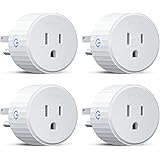
Smart plugs provide remote control over standard appliances. You can manage them through a mobile app. Voice assistants like Google Nest or Amazon Echo also work. These plugs offer all the benefits of old-fashioned timed plugs. Timers and routines can be set easily. Crucially, they allow remote control from anywhere. This means you can operate devices inside or outside your house.
Enhanced Home Security with Smart Plugs
Security is a prime benefit of smart plugs. A regular lamp can be connected to a smart plug. Place it near a window for visibility. Routines are set to turn lights on and off. This simulates occupancy in your home.
Deterring Intruders Effectively
Imagine if your home appeared occupied even when you are away. Smart plugs make this simple. Randomize your light schedule for added realism. This helps deter potential burglars. Traditional timed lights were effective. Smart plugs offer superior flexibility.
Remote Control for Peace of Mind
You can turn lights on or off at any moment. This is done via your smartphone app. Returning home late is made safer. Lights can be switched on before you enter. This eliminates fumbling in the dark.
Beyond Lighting: Appliance Safety
Security extends past just lights. Consider other essential appliances. Space heaters or curling irons are examples. These devices should not be left unattended. Plug them into a smart plug for control.
Imagine doubting if your space heater was switched off. A quick check on your phone confirms its status. You can then power it down remotely. This prevents potential fire hazards. Safety and security are greatly improved.
Saving Energy and Money with Smart Power Strips
Power saving is another significant advantage. Many devices consume power on standby. Televisions, gaming consoles, and phone chargers are common culprits. This “vampire drain” adds up over time.
Reducing Standby Power Consumption
Smart plugs themselves use a small amount of power. This keeps them connected to Wi-Fi. However, this consumption is far less than a device on standby. Group multiple devices on a smart power strip. This allows for unified control.
Optimizing Appliance Schedules
Set timers for power-hungry devices. Turn them off when not in use. This saves electricity. Your monthly energy bill will be reduced. When going on holiday, ensure all unnecessary devices are off. This provides significant savings.
Understanding Energy Monitoring Features
Some advanced smart plugs offer energy monitoring. These can track power usage. You see exactly how much electricity devices consume. This data helps identify the biggest energy offenders. Smart power strips help make informed decisions.
Troubleshooting Devices with Smart Power Cycling
Power cycling is essential for many electronics. Sometimes devices crash or freeze. They often need a hard reset. Manually unplugging and re-plugging is inconvenient.
Remotely Resetting Network Equipment
Routers and modems frequently benefit from resets. Imagine your internet stops working. Your Wi-Fi network might still be active. This often means your modem has crashed. A smart plug lets you remotely power cycle it. Connectivity is restored quickly without physical access.
Automating PC Restarts
Some users connect smart plugs to desktop PCs. If the PC crashes, it can be reset remotely. Turn the plug off, then on again. If “wake on LAN” is enabled, the PC boots automatically. This is incredibly useful for remote management.
Extending to Other Smart Home Devices
Think about smart home hubs or cameras. These can occasionally become unresponsive. A quick power cycle often resolves issues. Smart plugs provide this convenient solution. They keep your smart home running smoothly.
Managing Devices in Awkward Locations
Many household appliances are in hard-to-reach spots. Their plugs are often inaccessible. Moving heavy furniture is a chore. Reaching behind appliances can be difficult or dangerous.
Simplifying Appliance Maintenance
Consider an integrated fridge freezer. Its plug might be behind a cupboard. Defrosting requires turning it off at the mains. Reaching the plug can involve step ladders and awkward stretching. A smart plug makes this task simple. The device can be powered off via an app. Safety and convenience are dramatically improved.
Accessible Control for Hidden Devices
Printers tucked away in cabinets are another example. Sound systems behind entertainment units often pose challenges. If these devices need a reset, reaching their plug is a pain. A smart plug solves this problem easily. You gain control without moving anything.
Reducing Physical Strain and Risk
Attaching a smart plug is a one-time effort. Afterward, physical access is rarely needed. This prevents potential injury from awkward reaches. It also protects your home setup from disorganization. Smart plugs are a smart choice for hidden outlets.
Creating Seamless Routines and Automations
Smart plugs excel at automation. They integrate with voice assistants. This enables complex routines. One action can trigger another. Your home responds intelligently to your commands.
Voice-Activated Home Scenarios
Imagine telling your voice assistant “bottle time.” Lights in a child’s room dim. A specific Spotify playlist starts playing. A smart plug activates a bottle warmer. The milk warms while stories are read. After four minutes, the plug automatically turns off. This creates a stress-free bedtime routine.
Automating Daily Tasks
A kettle can be filled and ready to go. Tell your voice assistant “boil the kettle.” The smart plug powers it on. The kettle boils and switches itself off. This provides a fresh cup of tea with minimal effort. Think about humidifiers or diffusers. They can be scheduled to run at specific times.
Integrating with Other Smart Devices
Some smart home systems offer advanced integration. An Echo Plus has a temperature sensor. If the room temperature rises above a set level, a smart plug can activate. A fan connected to the plug turns on. This circulates air automatically. This level of automation enhances comfort and efficiency.
The possibilities for smart plugs and smart power strips are vast. They bring convenience, safety, and energy savings to your home. Brands like Teckin, TP-Link, and AOFO offer reliable options. Many work with the Smart Life mobile app. Some provide power monitoring features. Consider a four-plug strip with USB ports for maximum utility. These devices allow individual control of each plug. This makes them incredibly versatile for any household.
Unplugging Your Questions About Smart Plugs
What are smart plugs and smart power strips?
Smart plugs allow you to remotely control standard appliances like lamps or fans using a mobile app or voice assistant. Smart power strips offer similar control but for multiple devices, often with individual control for each outlet.
How can smart plugs improve my home security?
You can connect lamps to smart plugs and set them to turn on and off automatically, making your home appear occupied when you’re away. They also let you remotely check and turn off appliances for safety, like a forgotten curling iron.
Can smart plugs help me save on my energy bill?
Yes, smart plugs and power strips can turn off devices that consume standby power when not in use, which reduces wasted electricity. You can also set timers for appliances to ensure they only run when needed.
How can smart plugs make managing devices easier, especially those in awkward spots?
For appliances plugged into hard-to-reach outlets, like behind furniture, smart plugs let you turn them on or off remotely using an app. This makes tasks like defrosting a fridge or resetting a hidden printer much simpler without moving anything.