Many homes today are becoming smarter, with devices that offer convenience and efficiency at our fingertips. While integrating advanced technology into your living space might seem daunting, there are surprisingly simple solutions available to enhance your home. One such innovation that has gained immense popularity is the smart plug, a small yet powerful device designed to transform ordinary appliances into smart ones. As the video above demonstrates, the journey to a more connected home often begins with straightforward steps on how to install a smart plug.
Understanding What a Smart Plug Does
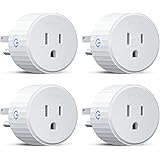
Before diving into the setup, it is helpful to grasp the fundamental concept of a smart plug. Essentially, this device acts as an intermediary adapter, sitting between your traditional appliance and the wall outlet. It allows power to be remotely controlled, effectively granting “smart” capabilities to any appliance that plugs into it. This means that a lamp, a fan, or even a coffee maker can be switched on or off, or put on a schedule, directly from your smartphone or through voice commands.
The Straightforward Process of Smart Plug Installation
As was clearly shown in the accompanying video, getting a smart plug up and running is often a much simpler task than many people imagine. There is no need for complex wiring or specialized tools, making this a truly accessible smart home upgrade. The installation of a smart plug typically involves just a few key stages that can be completed in minutes, bringing the power of automation right to your desired appliance.
Physical Connection: Bridging the Gap
The initial step in setting up one of these devices is purely physical. It involves unplugging the appliance you wish to control from its wall outlet. Once disconnected, that appliance is then plugged directly into the smart plug itself. Finally, the smart plug, with your appliance now attached, is then inserted into the original wall outlet. This configuration establishes the necessary electrical pathway for remote control.
App Integration: Bringing Your Devices Online
Once the physical connection is made, the next phase involves connecting your new smart device to your home’s Wi-Fi network and your smartphone. A dedicated app, typically provided by the smart plug manufacturer, is downloaded from an app store. When opened, this application usually features a prominent “add device” or “plus” icon, which, when pressed, initiates a search for nearby smart plugs. This digital handshake allows your phone to communicate with the plug.
Finalizing Setup: Naming and Control
Upon successful detection by the app, a simple selection usually confirms the addition of the device. You might then be prompted to press a button on the side of the physical smart plug to finalize the pairing process. The crucial final step is giving your new smart device a recognizable name, such as “Living Room Lamp” or “Kitchen Coffee Maker.” This personalized naming enables intuitive control, especially when using voice assistants.
Unlocking the Benefits of Smart Plug Technology
The advantages offered by smart plugs extend far beyond mere convenience, although that is certainly a major draw. These small devices are capable of enhancing various aspects of home living, making them a worthwhile addition for a wide range of individuals and households. The transformation they bring to everyday appliances is often surprising.
Effortless Convenience and Remote Control
Imagine controlling your home’s lighting or appliances from anywhere, whether you are across the room or across town. This level of remote management is a primary benefit of integrating these smart devices. For instance, a forgotten lamp can be switched off from work, or a fan can be turned on before arriving home on a hot day. This is a stark contrast to manually operating every device.
Boosting Accessibility for All
A significant advantage highlighted in the video is the impact on accessibility. For elderly individuals or those with disabilities, reaching awkward outlets or struggling with small switches can be a daily challenge. Smart plugs allow these devices to be controlled effortlessly via voice commands or a smartphone, thus greatly enhancing independence and comfort within the home. A simple voice command, “Alexa, turn off my living room lamp,” can replace a difficult physical task.
Potential for Energy Efficiency and Savings
While not always the primary reason for purchase, smart plugs can play a subtle role in energy conservation. By allowing precise scheduling, or the ability to remotely power down devices that might otherwise draw “vampire” power while idle, energy waste can be minimized. Devices like phone chargers, modems, or entertainment systems can be completely disconnected from power when not in use, potentially leading to small but cumulative savings on electricity bills.
Enhancing Home Security and Ambiance
These smart devices can also contribute to home security. By connecting lamps to smart plugs, lights can be scheduled to turn on and off at specific times, mimicking occupancy when you are away. This can deter potential intruders by giving the impression that someone is home. Furthermore, the ability to create customized lighting schedules can also be used to enhance the ambiance of a room, providing subtle changes throughout the day.
Expanding Your Smart Home Ecosystem with Smart Plugs
The beauty of these smart home accessories lies in their scalability and integration capabilities. Once one is installed, it is often realized how many other appliances could benefit from smart control. Building a network of these devices can truly transform an ordinary residence into a highly responsive smart home.
Seamless Integration with Voice Assistants
One of the most appealing features mentioned in the video is the automatic connection to popular voice assistants like Amazon Alexa or Google Home. This means that once your smart plug is set up in its native app, it can usually be discovered and integrated into your existing smart home system with minimal effort. This voice control element elevates convenience, allowing devices to be operated hands-free with simple commands.
Beyond Lamps: Versatile Applications
While a lamp is a common starting point, the potential uses for a smart plug are extensive. Consider adding these clever units to control:
- Small kitchen appliances: Coffee makers set to brew before you wake, slow cookers, toasters.
- Entertainment systems: Turning off TVs, gaming consoles, and sound systems completely when not in use.
- Seasonal decorations: Holiday lights, outdoor inflatables, or indoor festive displays.
- Fans and heaters: Managing room temperature more precisely.
- Chargers: Preventing overcharging of devices by cutting power on a timer.
Important Considerations When Using Smart Plugs
While smart plugs are generally user-friendly, a few factors are worth keeping in mind to ensure optimal performance and security. Understanding these aspects can enhance your experience and avoid common pitfalls.
Wi-Fi Network Requirements
Most smart plugs operate on a 2.4 GHz Wi-Fi network, which is common in many homes. It is important to confirm your home network configuration, as some newer routers prioritize 5 GHz bands. Ensuring your phone is connected to the 2.4 GHz network during the initial setup can prevent connection issues.
Device Compatibility and Power Limits
Always check the power rating of your smart plug to ensure it can handle the wattage of the appliance you intend to connect. High-power devices, like space heaters or large appliances, may require heavy-duty smart plugs or might not be suitable for standard models. It is always wise to consult the product specifications.
Enhancing Security Practices
As with any smart device connected to your home network, basic security practices are advisable. Using strong, unique passwords for your Wi-Fi and smart plug app accounts is crucial. Regularly updating the smart plug’s firmware, if prompted by the app, also helps maintain device security and performance.
Plug In Your Questions: Smart Plug Q&A
What is a smart plug?
A smart plug is a device that acts as an adapter between your traditional appliance and the wall outlet. It allows you to remotely control the power to your appliance using your smartphone or voice commands.
How do I install a smart plug?
First, plug your appliance into the smart plug, then plug the smart plug into the wall outlet. Next, download the manufacturer’s app, open it, and follow the steps to connect the smart plug to your home’s Wi-Fi.
What kind of devices can I control with a smart plug?
You can control many ordinary plug-in appliances, such as lamps, fans, coffee makers, and seasonal decorations. It gives ‘smart’ capabilities to almost any device that plugs into a standard outlet.
Do I need Wi-Fi to use a smart plug?
Yes, most smart plugs require a home Wi-Fi network, typically operating on the 2.4 GHz band, for connectivity. You will also need a smartphone to set up and control the plug via its dedicated app.