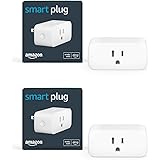
Transforming a standard home into a smart haven can begin with a simple yet powerful device: the Gosund Smart Plug. This device provides an effortless entry point into home automation, enabling users to control appliances and lights remotely or through voice commands. The accompanying video above demonstrates the straightforward process of setting up these efficient smart plugs and integrating them seamlessly with voice assistant technologies like Amazon Alexa.
Such smart plugs are designed for broad compatibility, working effectively with popular smart home platforms such as Alexa and Google Home. Their user-friendly nature makes them an ideal choice for individuals seeking to enhance convenience and efficiency within their living spaces. Many household items, from lamps to coffee makers, can be controlled with ease, transforming everyday routines into streamlined experiences. This guide provides a detailed walkthrough, expanding on the video’s instructions to ensure a comprehensive understanding of Gosund Smart Plugs setup and functionality.
Understanding the Advantages of Gosund Smart Plugs
The implementation of Gosund Smart Plugs extends far beyond mere on/off control, offering a multitude of benefits for the modern homeowner. One significant advantage is the ability to automate outdoor landscaping lights, as demonstrated in the video. By utilizing waterproof outlets, these plugs can be set on a timer through the dedicated Smart Life app, ensuring that outdoor areas are illuminated precisely when desired without manual intervention. This feature not only enhances curb appeal but also contributes to improved home security by creating the illusion of occupancy.
During festive periods, such as holidays, smart plugs become incredibly valuable tools for automating decorative lighting. The video highlights how multiple plugs—specifically, five were mentioned—can be deployed throughout a home to manage holiday lights efficiently. Imagine the convenience of having all your Christmas lights turn on and off automatically, without the need to navigate through tangled wires or reach for hard-to-access switches. Furthermore, smart plugs can offer energy savings by allowing users to schedule devices to turn off when not in use, preventing phantom power draw and reducing electricity bills over time.
Versatile Applications for Enhanced Living
The versatility of smart plugs permits their application in various aspects of daily life, significantly boosting convenience. For instance, a desk lamp that typically requires a cumbersome manual operation can be instantly transformed into a voice-activated fixture. As illustrated in the video, plugging a desk lamp into a Gosund smart plug allows it to be controlled via voice commands to Alexa, eliminating the need to physically interact with the switch. This level of control is particularly beneficial for hard-to-reach outlets or for individuals with mobility challenges.
Beyond lighting, smart plugs can manage a wide array of small appliances. Coffee makers can be programmed to brew before you wake up, fans can be switched on from another room, and device chargers can be automatically disconnected to prevent overcharging. The power of remote access means appliances can be controlled even when you are away from home, providing peace of mind and an added layer of control. This flexibility truly embodies the essence of a connected smart home.
Step-by-Step Setup for Your Gosund Smart Plug
Setting up your new Gosund Smart Plug is a remarkably straightforward process, primarily managed through the intuitive Smart Life application. The initial step involves simply plugging the smart plug into an electrical outlet. Subsequently, the user is directed to download the Smart Life app, which is readily available on both the Google Play Store and Apple App Store. This application serves as the central hub for managing all compatible smart devices within your home ecosystem.
Upon opening the Smart Life app, users are presented with the option to either register for a new account or log in with existing credentials. A simple registration process typically involves providing an email address and creating a secure password. Once logged in, the next action is to add the device by tapping the plus sign icon, usually located at the top right corner of the screen. From the device list, “Socket Wi-Fi” should be selected, guiding the user towards connecting their Gosund Smart Plugs.
Connecting Your Smart Plug to Wi-Fi
The crucial phase of connecting the smart plug to your home Wi-Fi network requires a specific action on the device itself. The Gosund Smart Plug must be powered on, and then its power button should be pressed and held for approximately five seconds. This action initiates a rapid blinking pattern on the plug’s indicator light, confirming that it is in pairing mode and ready for network discovery. The Smart Life app will prompt you to confirm that the device is indeed blinking rapidly before proceeding.
Following this confirmation, the application will request your Wi-Fi network password. It is imperative to ensure that the smart plug is within range of your Wi-Fi router for a stable connection. Once the password has been accurately entered, the app will initiate the connection process, searching for and pairing with the Gosund Smart Plug. A notification within the app, such as “Mini Smart Plug has been added,” indicates a successful connection, allowing the device to be renamed for easier identification, for example, “Desk Plug” as demonstrated in the video.
Integrating Gosund Smart Plugs with Amazon Alexa
For those utilizing Amazon Alexa for voice control, integrating Gosund Smart Plugs into the Alexa ecosystem is a simple procedure that unlocks hands-free operation. This integration is managed primarily through the Alexa app, where smart home skills are discovered and enabled. The process begins by navigating to the “Skills & Games” section within the Alexa application’s menu. It is here that connections between Alexa and various smart home devices are established.
A search for “Smart Life” within the Alexa Skills store will quickly locate the relevant application skill. If the Smart Life skill has not been previously enabled, it will need to be activated. Enabling this skill grants Alexa the necessary permissions to communicate with devices managed by the Smart Life app, including your Gosund Smart Plugs. It is important to remember that successful pairing in the Smart Life app must precede this step in Alexa.
Enabling Voice Control and Discovering Devices
Once the Smart Life skill is enabled in the Alexa app, the final step involves discovering the newly added Gosund Smart Plugs. This is achieved by visiting the “Devices” section at the bottom of the Alexa app interface. A plus sign icon, typically found at the top right, allows for the addition of new devices. By selecting the type of device (e.g., “Plug”) and initiating a search, Alexa will automatically scan for and detect any compatible smart plugs already configured through the Smart Life app.
The video clearly illustrates this automated discovery process, where a newly configured Gosund Smart Plug seamlessly appears in the list of Alexa devices. After discovery, the device can be controlled directly from the Alexa app interface, with a simple tap turning it on or off. However, the true convenience comes from voice commands. Phrases like “Alexa, turn on the desk plug” or “Alexa, turn off the desk plug” will instantly toggle the power to the connected appliance, providing an unparalleled level of convenience and control within the smart home environment.
Maximizing Your Smart Plugs for Enhanced Home Living
Beyond basic on/off functionality, Gosund Smart Plugs offer a gateway to a more interconnected and responsive home environment. Delving into the Smart Life app’s features reveals extensive options for automation, including setting schedules and creating scenes. For instance, a “Good Morning” scene could be configured to automatically turn on your bedroom lamp and coffee maker at a specific time, initiating your day with personalized comfort. These advanced settings allow users to tailor their home’s behavior to their unique lifestyle.
Furthermore, smart plugs can be instrumental in creating an illusion of presence when residents are away, contributing to home security. By randomizing light schedules, it appears as though someone is home, potentially deterring unwanted visitors. The integration with voice assistants like Alexa also facilitates the creation of complex routines. A single voice command, such as “Alexa, I’m leaving,” could be programmed to turn off all connected lights and appliances simultaneously, ensuring energy efficiency and peace of mind.
Plug In Your Questions: Gosund Smart Plugs & Alexa Q&A
What is a Gosund Smart Plug?
A Gosund Smart Plug is a device that transforms a standard electrical outlet into a smart one, letting you control connected appliances and lights remotely or with voice commands.
What kind of devices can I control with a Gosund Smart Plug?
You can control a wide range of household items, such as lamps, coffee makers, fans, and device chargers, allowing for remote on/off control and scheduling.
What app do I need to set up my Gosund Smart Plug?
You need to download and use the Smart Life app, which is available on both the Google Play Store and Apple App Store, to set up and manage your smart plugs.
How do I put my Gosund Smart Plug into pairing mode for Wi-Fi?
Plug in the smart plug, then press and hold its power button for about five seconds until the indicator light starts blinking rapidly, indicating it’s ready to connect.
How do I connect my Gosund Smart Plug to Amazon Alexa?
First, enable the ‘Smart Life’ skill in your Alexa app. Then, go to the Devices section in the Alexa app and select ‘Discover Devices’ to find and add your smart plug.