Elevating Your Home Automation: A Deep Dive into Gosund Smart Plug Setup and Alexa Integration
With an estimated 35% of households worldwide projected to adopt smart home technology by 2027, the demand for intuitive and reliable devices like the Gosund smart plug is skyrocketing. As the video above expertly demonstrates, integrating smart plugs into your home automation ecosystem can revolutionize daily routines, offering unparalleled convenience and efficiency. This comprehensive guide expands upon the video’s essential instructions, providing deeper insights, expert tips, and further details to ensure a seamless setup and optimized experience with your Gosund smart Wi-Fi plug and its synergy with the Smart Life app and Amazon Alexa.
Venturing beyond the basic setup, understanding the nuances of smart home technology empowers users to unlock its full potential. A Gosund smart plug is more than just an on/off switch; it’s a gateway to a connected lifestyle, enabling remote control, scheduling, and energy monitoring of your appliances. From ensuring your coffee maker is ready when you wake up to remotely controlling holiday lights, these versatile devices contribute significantly to modern smart living. This article will meticulously explore each phase of integration, from initial app pairing to advanced voice command configurations.
Unlocking Connectivity: The Smart Life App and Gosund Smart Plug Pairing
The foundation of your smart home experience with Gosund devices lies within the Smart Life app, a robust platform designed for managing various IoT devices. To initiate the journey, downloading the correct Smart Life application from your device’s respective app store is paramount, easily identifiable by its distinct icon. While the video highlights direct download, the convenience of scanning the QR code on your Gosund smart Wi-Fi plug packaging offers a swift alternative, minimizing potential errors. Following a quick and straightforward registration process, you establish your central hub for smart device management.
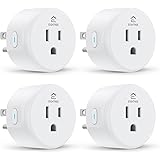
Once the app is ready, the physical connection of your Gosund smart plug to an electrical outlet signals the next crucial step. The video correctly emphasizes the importance of pressing the on-off button for a sustained duration, typically between five to ten seconds, to initiate the pairing mode. This action is visibly confirmed by the rapid flashing of a blue indicator light, signifying that the smart plug is actively broadcasting its presence and awaiting connection. Such visual cues are vital feedback mechanisms in the smart home setup process, ensuring users can confidently proceed to the app-based configuration.
Navigating Wi-Fi Compatibility: The 2.4 GHz Imperative for Your Gosund Smart Plug
A critical technical detail often overlooked but pivotal for successful device pairing is Wi-Fi compatibility, specifically the 2.4 Gigahertz (GHz) channel requirement for the Smart Life app and thus your Gosund smart plug. While many modern home Wi-Fi systems are dual-band, operating on both 2.4 GHz and 5 GHz frequencies, the Gosund ecosystem primarily utilizes the 2.4 GHz band due to its superior range and ability to penetrate obstacles more effectively. This characteristic makes it ideal for smart home devices that might be located further from the router or in different rooms.
When prompted to enter your home Wi-Fi password in the Smart Life app, it is essential to ensure your smartphone is connected to the 2.4 GHz band of your network. In instances where your router broadcasts a single SSID (network name) for both bands, your phone will typically manage the connection automatically, but manually separating the bands in your router settings or temporarily disabling the 5 GHz band can circumvent connectivity issues. This strategic approach minimizes potential pairing frustrations, guaranteeing that your Gosund smart plug can establish a stable and reliable connection to your home network.
Personalizing Your Smart Home: Renaming and Organizing Gosund Smart Plugs
Upon successful connection, as indicated by the smart plug’s light transitioning from blue to a steady red, the immediate next step involves personalizing its identity within the Smart Life app. Renaming each Gosund smart plug to reflect the appliance it controls—such as “Living Room Lamp,” “Coffee Maker,” or “Bedroom Fan”—is a seemingly small detail that yields significant organizational benefits. This intuitive labeling system eliminates confusion, particularly as your smart home ecosystem expands with more devices. Instead of remembering abstract device IDs, you can simply refer to appliances by their common names.
Beyond simple renaming, the Smart Life app often provides features for grouping devices or assigning them to specific rooms. Implementing such organizational strategies significantly enhances user experience, making device management more streamlined and efficient. Imagine effortlessly controlling all the lights in your living room with a single command, or setting up schedules for an entire room’s electronics. This level of granular control, starting with well-named and organized Gosund smart plugs, is what transforms a collection of gadgets into a cohesive and intelligent home environment.
Seamlessly Integrating Gosund Smart Plugs with Amazon Alexa for Voice Control
The true power and convenience of a Gosund smart plug come alive when integrated with a voice assistant like Amazon Alexa, as demonstrated in the video. This integration elevates control from a tap on an app to a simple vocal command, offering hands-free operation and an unparalleled level of accessibility. The initial step involves ensuring the Amazon Alexa app is installed and configured on your mobile device, serving as the bridge between your voice commands and your Gosund smart devices.
Within the Alexa app, the process of linking the Smart Life skill is intuitive and robust. Navigating to the “Skills & Games” section and searching for “Smart Life” will quickly lead you to the official skill. Tapping “Enable” and then securely inputting your Smart Life app credentials (username and password) establishes the critical link between the two platforms. This authentication process is a standard security measure, ensuring that only authorized users can control your smart home devices through Alexa, safeguarding your privacy and device access. Once linked, the Alexa app will discover your newly configured Gosund smart plug, making it ready for voice commands.
Mastering Voice Commands and Expanding Alexa Routines with Your Gosund Smart Plug
With the Smart Life skill successfully linked and your Gosund smart plug discovered by Alexa, a new realm of control opens up. Simple voice commands, such as “Alexa, turn off lamp,” immediately demonstrate the effortless convenience of this integration, instantly toggling your connected appliance. However, the capabilities extend far beyond basic on/off functions. Alexa’s robust ecosystem allows for the creation of customized routines, a powerful feature that can automate sequences of actions with a single trigger word or at a scheduled time.
For example, you could configure a “Good Morning” routine that, upon command, turns on your bedroom light via a Gosund smart plug, starts your coffee maker (also connected to a smart plug), and plays your favorite news briefing. Conversely, a “Good Night” routine could power down all designated lights and appliances. Such advanced automation not only enhances convenience but also contributes to energy efficiency, ensuring devices are only active when needed. The dynamic interplay between the Gosund smart plug, the Smart Life app, and Alexa transforms routine tasks into effortless, automated experiences within your smart home.
Optimizing Your Gosund Smart Plug Experience: Troubleshooting and Advanced Tips
Even with meticulous setup, occasional hiccups can occur in any smart home ecosystem. For your Gosund smart plug, common troubleshooting steps include verifying your Wi-Fi connection, ensuring the plug is within range of your router, and confirming the Smart Life app is up to date. If the plug fails to respond, performing a factory reset by holding the power button for an extended period (often 5-10 seconds until the light rapidly flashes again) and re-pairing can often resolve persistent issues. Consulting the in-app help section or Gosund’s dedicated technical support channel, as mentioned in the video, remains a valuable resource for complex challenges.
Beyond basic functionality, explore advanced features that may be available for your Gosund smart plug through the Smart Life app. Many modern smart plugs offer energy monitoring capabilities, providing insights into appliance power consumption, which can be invaluable for identifying energy hogs and optimizing usage. Setting schedules, timers, and ‘away mode’ features can further enhance security and convenience, giving the impression of an occupied home even when you are absent. By fully leveraging these features, you transform a simple smart plug into a sophisticated tool for comprehensive home management.
Plug In for Answers: Your GHome, Gosund & Alexa Smart Plug Q&A
What is a Gosund smart plug?
A Gosund smart plug is a device that allows you to remotely control and schedule your home appliances. You can turn devices on or off from your phone or with voice commands after it’s connected to your Wi-Fi.
Which app do I need to set up my Gosund smart plug?
You need to download the Smart Life app from your device’s app store. This app acts as the central hub for managing and controlling your Gosund smart plug and other compatible devices.
What kind of Wi-Fi network does my Gosund smart plug use?
Gosund smart plugs require a 2.4 Gigahertz (GHz) Wi-Fi network to connect properly. It’s important to ensure your smartphone is connected to the 2.4 GHz band of your home network during the setup process.
How can I connect my Gosund smart plug to Amazon Alexa for voice control?
First, make sure the Amazon Alexa app is installed on your device. Then, in the Alexa app, go to ‘Skills & Games,’ search for ‘Smart Life,’ enable the skill, and link it using your Smart Life app credentials.
Why should I rename my Gosund smart plugs in the app?
Renaming your smart plugs to something descriptive, like ‘Living Room Lamp,’ helps you easily identify and control them. This simple organization prevents confusion and makes managing your smart home much more intuitive.